
Introductory lesson · Ages 3–5
Let’s play Happy Birthday with an orchestra!
Listen to a familiar song, try playing on your own instrument, and join the orchestra. Choose a part you can manage: the activities in this lesson will help you prepare.
You can listen to the orchestra right away. For your first attempt at playing along, choose the slow tempo and a part of the piece you can already play.
Preparatory Level B · A child and an adult, learning together
Soft Mozart Introductory Lesson for Children Ages 3–5
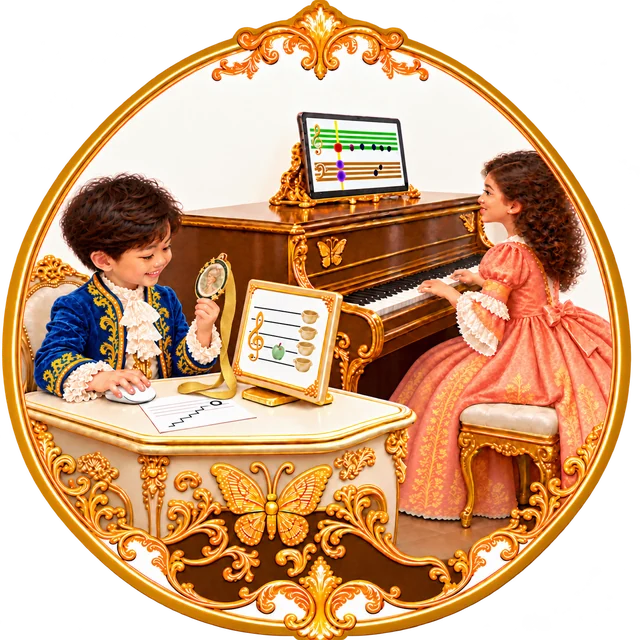
Start with the Technology Lesson
Learn how to choose a student’s name, open the program, connect your instrument, and save a result. Try it yourself first. Then offer the activity to your child under their own name.
What we’ll explore
All materials are linked beside the activities that use them. You can begin without musical training or completing a previous level. Spread the lesson over short sessions and continue while your child is interested.
1. Supporting your child’s learning

Module 1. Your child and their development
Helping a child ages 3–5 learn independently
At ages 3–5, children gradually learn to manage their attention and actions: remember a small task, follow a clear rule, and wait for the right moment. Language and imagination are developing, too: children invent stories, and their play increasingly follows an idea of their own. But understanding, finger movements, and coping with frustration develop at different rates. A child may explain what to do quite well without yet being able to do it. [1, 2, 4]
At ages 2–3, our first aim is to help a child become interested and join in. At ages 3–5, we continue to support that interest while increasingly helping children carry an idea through to a small achievement. They have more opportunities to act independently.
Read more
This lesson is also suitable for a first introduction to Soft Mozart.
Show an inviting goal right away: your child can play Happy Birthday with an orchestra. Listen to the music, try playing yourself, and invite your child to join in. You can explore the orchestral video as soon as you open the lesson, then learn your part in manageable steps.
Independence through manageable tasks
Choose a task in which your child can see a note, find its key, and hold the sound for the required time independently. This might be a short passage, one hand’s part, or even a single note. Let what your child can do now guide the size of the task.
Read more
Use the program’s thermometer as a guide: red means make the task easier, yellow means repeat, and green means gradually increase the challenge. A smaller task gives your child a chance to learn the action and feel, “I did it.”
Allow time for your child to use the feedback. While the Rose opens, they hold the key; when the Butterfly appears, they release it. The Spider helps them notice a wrong key. If they release a key too soon and Mr. Oops appears, they need to press it again and hold it.
If an adult immediately points out the correct key, the child has fewer opportunities to connect the symbol, the action, and the result independently. Watch: your child may already be looking for a solution. If the difficulty continues, help them notice the program’s cue, explain what it means if necessary, or reduce the task.
Independence still needs support. When your child is upset, calmly acknowledge the difficulty: “It didn’t work yet. Let’s try a smaller part.” Being able to pause, receive support, and try again is also important for learning.
Making each action meaningful
In Soft Mozart, a child sees a symbol, chooses a key, presses it, and hears the sound of their own action. The program’s feedback helps them check the result and adjust their movement. Seeing, hearing, and moving all contribute to one clear task.
Read more
The development of neural connections helps explain this kind of learning. Experience changes the brain: repeated use strengthens some connections and refines how neural networks work. This process is especially active in early childhood and continues throughout life. [3]
The teaching purpose of this sequence is to give the child experience in coordinating their actions. They practice connecting what they see with a sound, choosing a movement, sustaining it, and ending it at the right moment. They also need to keep a small goal in mind and notice whether their action achieved it. These are the actions we can observe and gradually make more challenging.
Repeat a manageable passage while allowing your child time to find their own way. Notice specific changes from one attempt to the next: finding a key more confidently, holding the sound for the required time, or noticing and correcting an error.
The lesson includes a coloring book, cards, and an introduction to the characters of the Kingdom of Tune. Your child may meet them for the first time here. As they explore these materials, they can begin to notice new connections between pictures, musical symbols, and sounds. Give them time to investigate and return to the material: revisiting it helps deepen understanding.
What this means for learning
At ages 3–5, we support children’s growing ability to act with a purpose. They need a clear goal, a manageable amount of work, and a chance to use the feedback independently. The adult prepares the activity, helps with difficulties, and notices progress.
Practical tips for parents
What to do
- Complete the Technology Lesson and try the program yourself first. Connecting the instrument, choosing a name, and opening an activity should be familiar to the adult.
- Each person should use their own name. Your child’s results will then reflect their own attempts.
- When help is needed, give one short cue and time to act. Your child already has plenty to think about while looking for a key.
- Notice a specific success: “You found it yourself,” “You waited for the Butterfly,” or “You noticed and corrected it.”
- Compare your child’s attempts with their own earlier attempts at the same task. Allow for tiredness: today they may need a shorter passage or a break.
What to avoid
- Don’t expect finger dexterity simply because your child speaks well and understands an explanation.
- Don’t prompt every key or correct something your child could notice independently.
- Don’t label an error as carelessness, laziness, or a lack of ability.
- Don’t increase the task just because of your child’s age or make playing with the orchestra a reward for obedience.
A common misunderstanding
“They understood everything, but they keep releasing the key too soon. Why aren’t they trying?”
Read more
Understanding a rule and controlling a movement are different achievements. Look at where the difficulty arose: did your child find the key but not hold it? Lose sight of the note? Become tired? If your child wants to continue, reduce the task and allow another calm attempt. If they are tired, take a break. Noticing the program’s cue and correcting an action independently is already progress.
The guiding principle
Give your child as much support as they need to take the next manageable step independently.
Research background
- Harvard Center on the Developing Child. Executive Function Activities for 3- to 5-year-olds.
- NAEYC. Principles of Child Development and Learning and Implications That Inform Practice.
- Harvard Center on the Developing Child. Brain Architecture.
- CDC. Milestones by 4 Years.
2. The Kingdom of Tune and Harmony

Look, read, and listen
Open Time to Learn! Choose a few pages, look at the pictures, read, and color together. Door helps your child remember Do, Rain stands for Re, and Mirror for Mi. Your child will meet the same pictures on the cards and beside the keys.

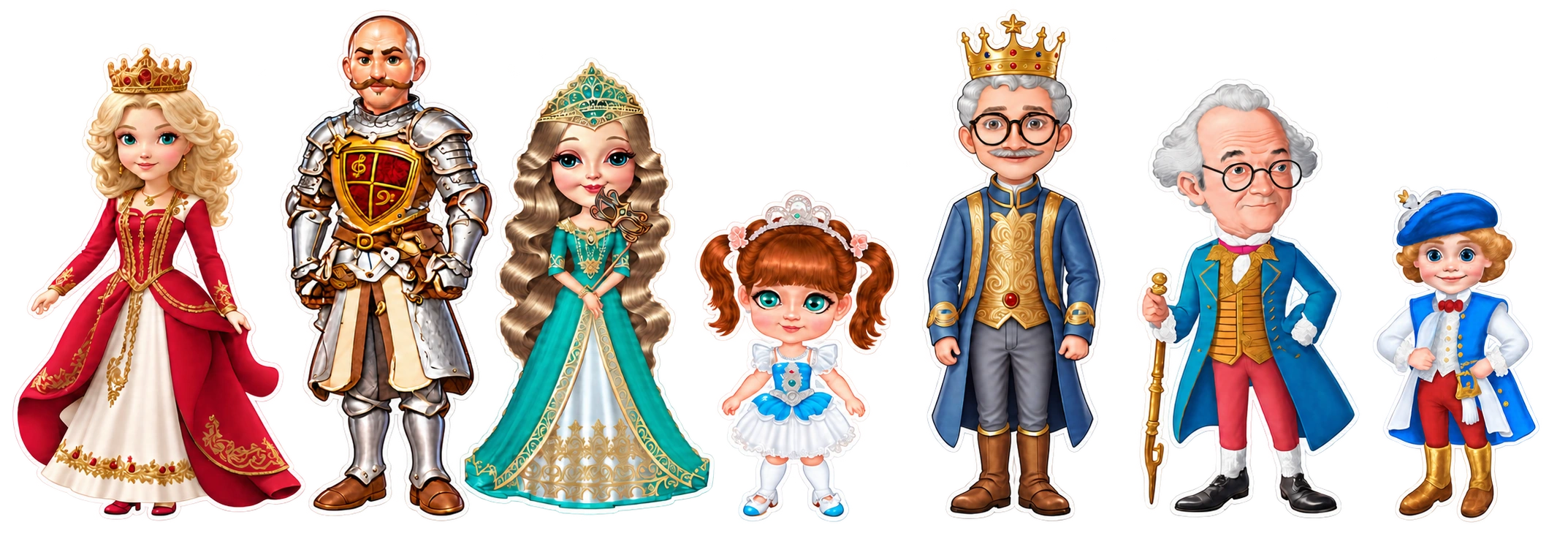
Meet Queen Tonica and the other characters. Invite your child to choose a favorite, find the character in the picture, and talk about them. There is no need to learn every name at once.
Guess Key: a separate, short activity
Open Guess Key, choose level 1, and invite your child to find the correct key. Here, children use familiar symbols to find their way around the keyboard. One attempt lasts 45 seconds; save the result.
If level 1 is easy, you can try level 2: instead of three neighboring white keys, the search is among three white keys with a key between each pair. This broadens the child’s exploration of the keyboard. Return to level 1 if it becomes difficult. There is no need to complete every level in this introductory lesson.
When to increase the challenge: your child understands the task, usually manages without a prompt before every action, and wants to try something new. Change only one condition at a time. Take a break when your child is tired.
3. Fine motor skills and coordination
Five Fingers: watch and try
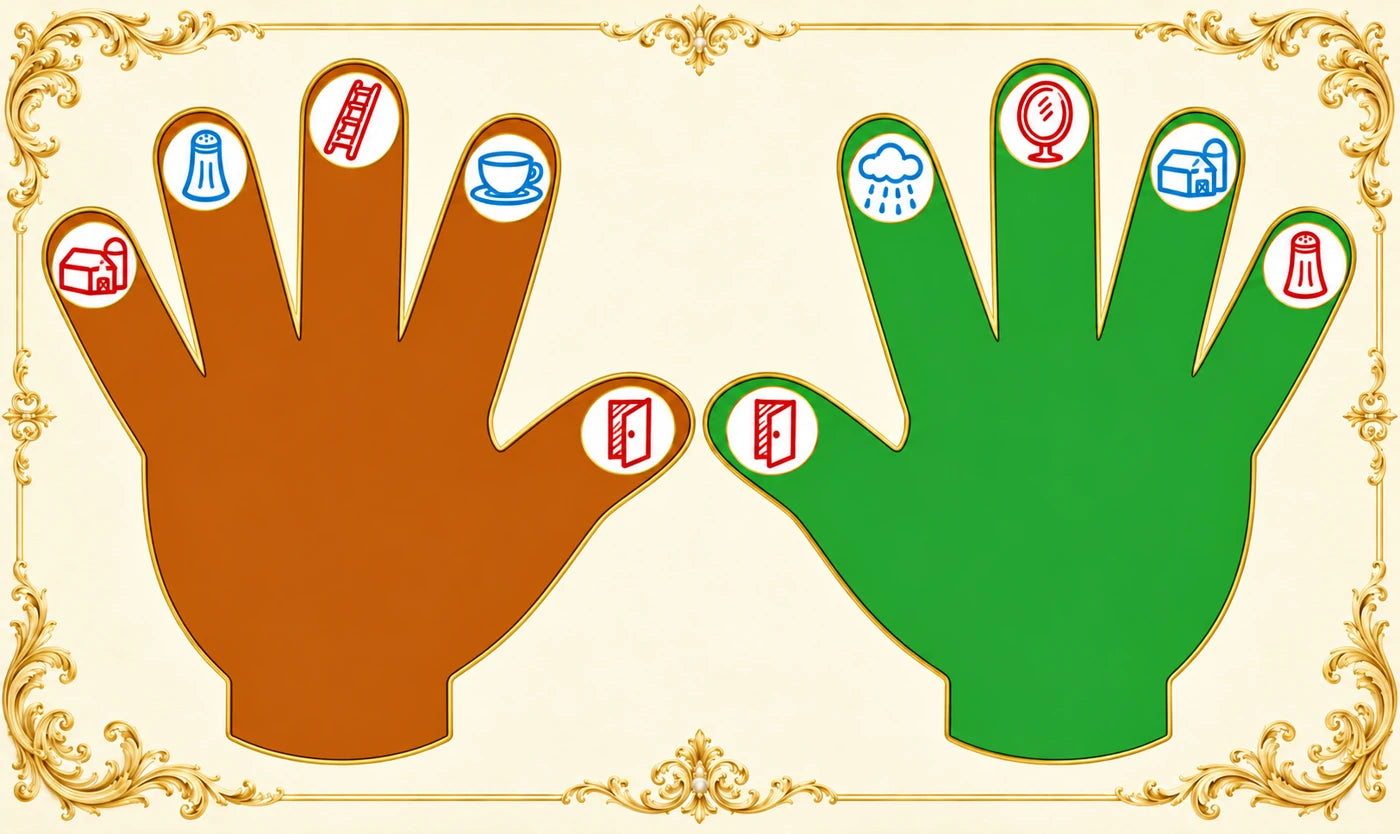
Watch the instructional video yourself first. Then show your child a slow sequence with the fingers of the right hand, from thumb to little finger: Do — Re — Mi — Fa — Sol, and back. The pictures on the green hand help connect each finger with its note name.
Invite your child to repeat a manageable part. If the whole sequence is difficult, begin with one or two fingers. Then try the familiar sequence on the keys, using the video as a guide. Don’t lift your child’s fingers for them or require high finger movements.
If the right hand is comfortable, try the left hand separately: from thumb to little finger, Do — Ti — La — Sol — Fa, then back. Stop if there is tension or tiredness. A few calm attempts are enough for a first introduction.
4. Music theory and ear training
From cards and the song to Note Alphabet
Choose the cards that match the letter-name system used in your program. Ti may be labeled H or B:


An adult cuts out the cards. Begin by recognizing the pictures and note names: “Door — Do. Find Do.” Once your child recognizes them confidently, move on to the sequence.
Building the musical alphabet
Lay out Do — Re — Mi — Fa — Sol — La — Ti — Do. You will need two Do cards for this sequence. Play the song, point to the pictures, and sing along if you wish. If the whole sequence is difficult, choose a short section.
If the forward order is easy, try naming a few notes backward, for example Mi — Re — Do. Keep the cards nearby as a guide.
Play Note Alphabet for 45 seconds
In the demo, select your child’s name and open Note Alphabet by finding this icon in the menu. The adult should first check the controls with F1 and try the game under their own name.
Show how to find the next note in the order requested by the game. Then let your child try independently. The cards can be used as a guide.
One attempt in our demo lasts 45 seconds. Save the result. If your child is interested, offer another attempt. Compare results from the same task and notice what your child is doing more independently.
5. Playing the piano
Happy Birthday in Gentle Piano and with the orchestra
First, the adult opens Gentle Piano → Happy Birthday, presses F1, and tries the controls. S starts playback, R selects the right-hand part, and L selects the left-hand part. These commands use the computer keyboard; play the music on your connected instrument.
Now select your child’s name and presentation 1. Invite them to try the right-hand and left-hand parts separately. If they find it easy, they can play each part all the way through. If it is difficult, choose a short passage.
Let your child find a key, hold the sound, and release it using the program’s cues. Follow the thermometer: red means simplify, yellow means repeat, and green means you can gradually extend the task. Don’t require particular fingers while finding the keys takes all of your child’s attention.
Try playing with the orchestra
Choose the slow tempo. Listen to the beginning and try joining in with the part or passage you have prepared. One manageable part is enough. If your child loses their place, stop the recording and begin the attempt again. You can also simply listen to the orchestra and return to playing later.
Save the result of playing in the program. Notice a small achievement: finding a key independently, holding the sound, playing an entire part, or joining the orchestra at the right moment.
6. Musical culture and listening
A familiar song in the world of orchestral music
Listen to Igor Stravinsky’s Greeting Prelude. The composer used the theme of Happy Birthday and gave the familiar song an unusual orchestral sound.
For a child ages 3–5, choose one task: notice an instrument, use a gesture to show a change in volume, or find a familiar phrase. On another listening, you can compare the two performances.
Don’t require an answer to every question. Your child can listen, move, “conduct,” or ask to hear a favorite moment again. End the session with something that sparked interest and a wish to return to music.